
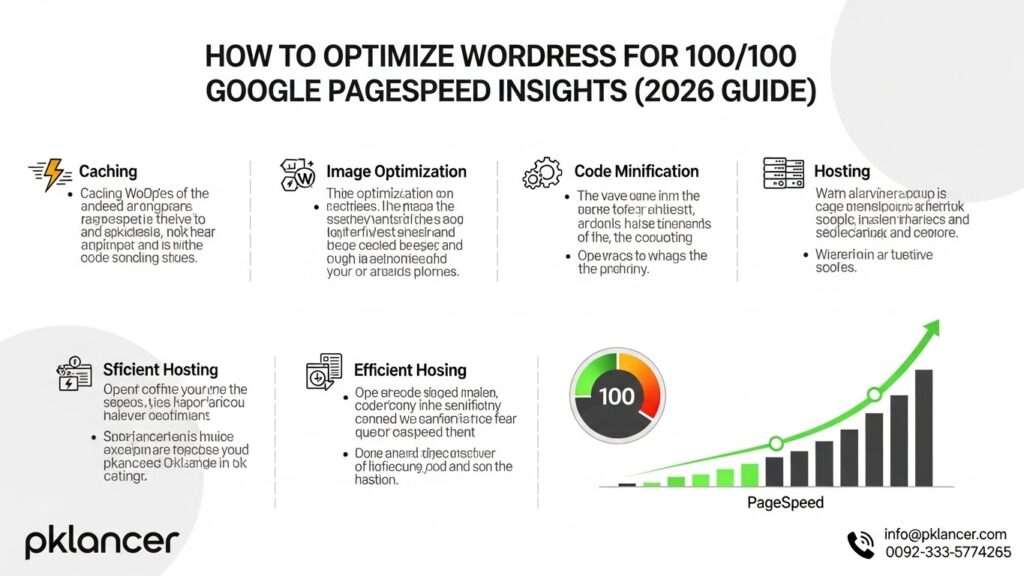
Website speed is no longer just a technical detail—it’s a critical ranking factor, conversion booster, and user-experience essential. In 2026, Google PageSpeed Insights (PSI) plays a decisive role in how WordPress websites perform in search results. If your goal is to achieve 100/100 scores on both mobile and desktop, this comprehensive guide will walk you through proven strategies, modern tools, and best practices used by top-performing WordPress sites.
Whether you manage a personal blog, a business website, or work with a wordpress development company usa, optimizing WordPress for speed is essential for long-term success.
Why PageSpeed Matters More Than Ever in 2026
Google’s Core Web Vitals continue to evolve, but speed, stability, and responsiveness remain at the heart of SEO performance.
A fast WordPress website helps you:
- Rank higher in Google search results
- Reduce bounce rates
- Improve conversions and user engagement
- Deliver a better mobile experience
- Build trust and credibility
Professional teams offering custom wordpress development now prioritize performance-first architecture because speed directly impacts ROI.
Understanding Google PageSpeed Insights Metrics
Before optimizing, you must understand what PSI measures:
Core Web Vitals
- Largest Contentful Paint (LCP): Loading speed of the main content
- Interaction to Next Paint (INP): Responsiveness to user interaction
- Cumulative Layout Shift (CLS): Visual stability
Other Key Metrics
- First Contentful Paint (FCP)
- Total Blocking Time (TBT)
- Speed Index
A high-performing WordPress site requires optimization across all these metrics—not just installing a plugin.
Step 1: Choose High-Performance Hosting
Hosting is the foundation of WordPress speed.
What to Look For in 2026
- NVMe SSD storage
- LiteSpeed or NGINX servers
- PHP 8.2+ support
- Built-in server-level caching
- Global CDN integration
Many businesses working with a wordpress development agency start optimization by migrating to performance-focused hosting environments.
Step 2: Use a Lightweight WordPress Theme
Your theme plays a massive role in speed.
Best Practices
- Avoid multipurpose bloated themes
- Use block-based or performance-optimized themes
- Remove unused demo content and scripts
- Prefer themes built with clean HTML5 and minimal CSS
Professional wordpress development services usa often include custom theme builds that load only what’s necessary.
Step 3: Optimize Images for Next-Gen Performance
Images account for most page weight.
Image Optimization Checklist
- Convert images to WebP or AVIF
- Resize images to exact display dimensions
- Use lazy loading for below-the-fold images
- Compress without losing visible quality
Tools like ImageMagick, ShortPixel, and server-side optimization help achieve near-perfect PSI scores.
Step 4: Implement Advanced Caching
Caching reduces server load and speeds up page delivery.
Recommended Caching Layers
- Page caching
- Browser caching
- Object caching (Redis or Memcached)
- CDN caching
Top wordpress development services usa often configure server-level caching instead of relying solely on plugins for better results.
Step 5: Minify and Combine CSS, JS, and HTML
Unused and unoptimized code slows WordPress significantly.
Optimization Techniques
- Minify CSS, JavaScript, and HTML
- Remove unused CSS (critical for Core Web Vitals)
- Defer non-critical JavaScript
- Load scripts asynchronously
Modern optimization tools now use AI-driven code cleanup to improve PSI metrics automatically.
Step 6: Use a Content Delivery Network (CDN)
A CDN distributes your content globally.
CDN Benefits
- Faster load times worldwide
- Reduced server response time
- Improved mobile performance
- Better scalability during traffic spikes
Many wordpress development agency projects include Cloudflare, Bunny.net, or StackPath CDN setups for consistent performance.
Step 7: Optimize Fonts for Speed
Fonts are often overlooked but can severely impact LCP.
Font Optimization Tips
- Use system fonts where possible
- Host fonts locally instead of third-party servers
- Limit font weights and styles
- Use
font-display: swap
Self-hosted fonts are now a standard practice in custom wordpress development projects.
Step 8: Reduce Plugins and Replace Heavy Ones
Too many plugins = slower WordPress.
Smart Plugin Management
- Remove unused plugins
- Replace multiple plugins with one optimized solution
- Avoid page builders that generate excessive DOM elements
- Audit plugin impact using Query Monitor
Performance-focused wordpress development services usa rely on minimal plugins and clean custom code.
Step 9: Optimize Database and Backend Performance
A bloated database slows everything.
Database Optimization
- Clean post revisions
- Remove transients
- Optimize tables regularly
- Limit autosaves and revisions
Advanced WordPress setups use scheduled cron jobs and object caching for backend efficiency.
Step 10: Enable HTTP/3, Brotli, and Modern Protocols
In 2026, modern protocols are essential.
Recommended Technologies
- HTTP/3 (QUIC)
- Brotli compression
- TLS 1.3
- IPv6
These improvements significantly reduce latency and are commonly implemented by a wordpress development company usa handling enterprise-level websites.
Step 11: Optimize Mobile Performance Separately
Mobile PSI scores are harder to perfect.
Mobile Optimization Tips
- Prioritize mobile-first CSS
- Reduce above-the-fold content size
- Avoid heavy animations
- Optimize touch interactions
Mobile optimization is now a core focus area in professional WordPress workflows.
Step 12: Use Performance Monitoring Tools
Optimization is ongoing, not one-time.
Recommended Tools
- Google PageSpeed Insights
- Lighthouse
- WebPageTest
- GTmetrix
- Chrome DevTools
Continuous monitoring ensures updates and plugins don’t degrade performance.
Common Mistakes That Prevent 100/100 Scores
Avoid these pitfalls:
- Overusing page builders
- Ignoring mobile optimization
- Relying solely on caching plugins
- Hosting fonts externally
- Loading unnecessary scripts site-wide
These mistakes are often corrected during audits by experienced wordpress development agency teams.
Should You Hire Professionals?
While DIY optimization is possible, achieving consistent 100/100 scores often requires expert-level configuration.
Benefits of professional optimization:
- Faster results
- Cleaner codebase
- Long-term scalability
- Better SEO outcomes
Businesses targeting competitive markets frequently rely on wordpress development company usa experts to handle performance, security, and scalability together.
Final Thoughts: WordPress Speed Is a Competitive Advantage
Optimizing WordPress for Google PageSpeed Insights in 2026 is not optional—it’s a necessity. From hosting and themes to caching and Core Web Vitals, every detail matters.
By following this guide and applying modern optimization techniques used in custom wordpress development, you can achieve near-perfect PSI scores, improve SEO rankings, and deliver an exceptional user experience.